
Update Your Staff Directory (Directors)
Keeping your staff directory current ensures mailing lists stay accurate and only staff have access to critical UC ANR systems. It is critical that the correct director is assigned to each unit or county.
Only those designated as Directory Editors can follow these instructions. Unit or county directors are automatically assigned this role, as are most office and business managers. If you do not have this access and expect to, email help@ucanr.edu.
Instructions
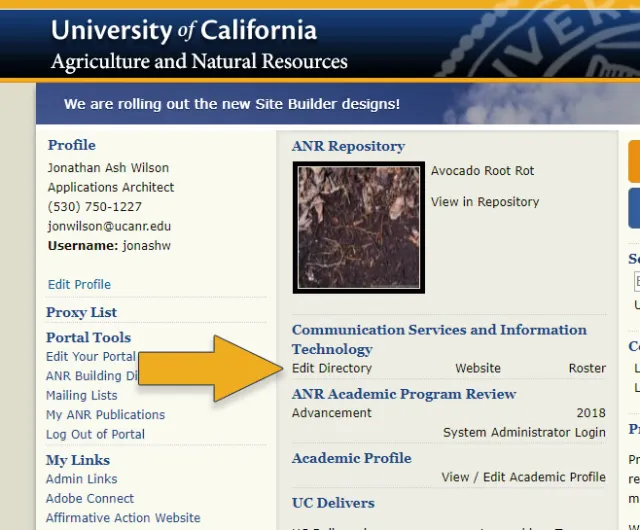
On your Portal, click Edit Directory next to the unit of interest.
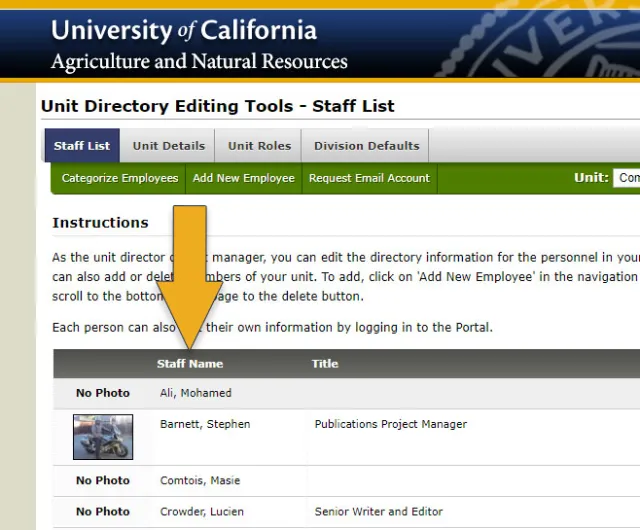
You will see a listing of staff in that unit or county. You can add or remove staff from this page.
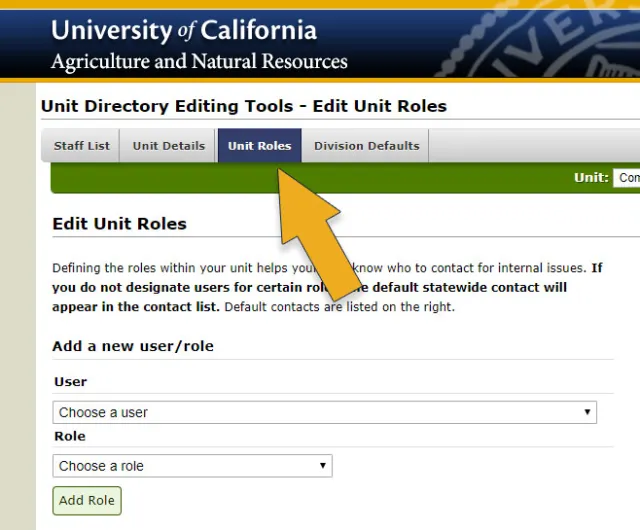
To update the director or other roles, click Unit Roles to see a full listing of current roles in your unit or county.
Under User, select the person filling the role, select the relevant role, and click Add Role.
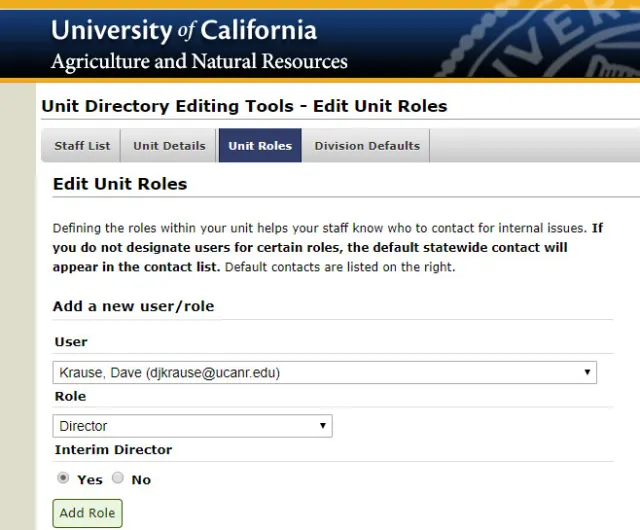
- Scroll down to remove any people from roles that are no longer valid.