Project Board Help

Test PB Collection: FTE

Test dynamic

Communications Toolkit: Page

Planning and Workflow

In this section, you will review examples of short how-to videos with a critical eye. Studying what works — and what doesn't — is one of the most effective ways to improve your own work. Once you have reviewed the examples, use the suggested workflow below to begin planning your own video.
View Page
Communications Toolkit: Page

Publishing

Once your video is edited and encoded, the final steps are rendering, uploading, and making sure your video can be found. This section covers the full publishing process from export to discoverability.
View Page
Communications Toolkit: Page

Uploading

Once your video is exported, you are ready to share it. Choose a sharing method that fits your audience and content objectives.
View Page
Communications Toolkit: Page

Webinar Recordings

The following recordings are from the Online Video Clinic series held in Spring 2020. Both webinars are referenced throughout this course. Use the time stamps to jump to specific topics as needed.
View Page
Communications Toolkit: Page

Video Editing

After gathering clips, audio, and still images, the next step is assembling them into a finished video. This page covers the editing process using Adobe Premiere Elements and walks through a complete editing exercise.
View Page
Page

Lighting Tips

Lighting is a complex topic, but a few key principles will make a significant difference in the quality of your videos.
View Page
Communications Toolkit: Page

Quality Assurance

A strength of UC ANR that Californians depend on is the accuracy of our content. We have a history of producing reliable, researched-based information from our staff and academics. Video production, just like fact sheets and presentations, needs to convey accurate information.
View Page
Communications Toolkit: Page

Chroma Key

Chroma key is a technique that lets you replace a solid-colored background behind a subject with any image or video clip. If you have watched a TV weather forecast, you have seen this effect — the forecaster stands in front of a green screen while a weather map appears behind them.
View Page
Communications Toolkit: Page

Next Steps

Hopefully if you have made it to this page, you have completed your first video. Good job! What then should you do next? The best advice for moving forward is to make a few more videos. During the process you likely encountered some snags or some parts you were disappointed with.
View Page
Primary Image
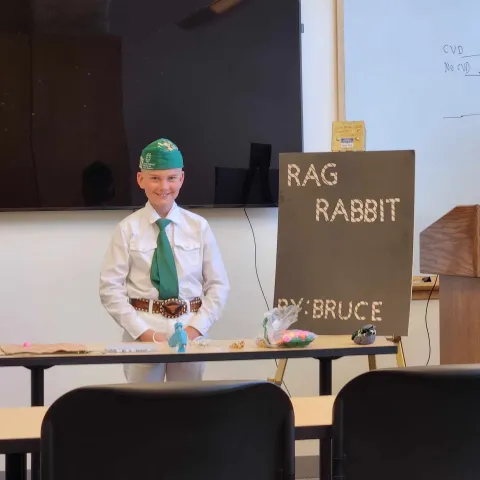
Youth standing in front of room with a display board
University of California 4-H Youth Development Program: Page

Regional Presentations

The 4-H Presentation Program is designed for 4-H members ages 9 to 18. The system of county, regional, and state 4-H presentations supports youth 4-H members (aged 9 to 18) in practicing and improving their public speaking skills.
View Page