
Tip 1: Headings (Structure)
Core skill: Use proper headings to structure content for accessibility.
Why it matters
Headings allow screen reader users and keyboard users to understand, skim, and navigate content efficiently. Without proper headings, documents and web pages are read as one long, undifferentiated block of text.
What to do (2-minute action)
Use the built-in Styles or Headings menu in your software (Word, Google Docs, PowerPoint, web editors) instead of manually formatting text with bold or font size.
Key reminders
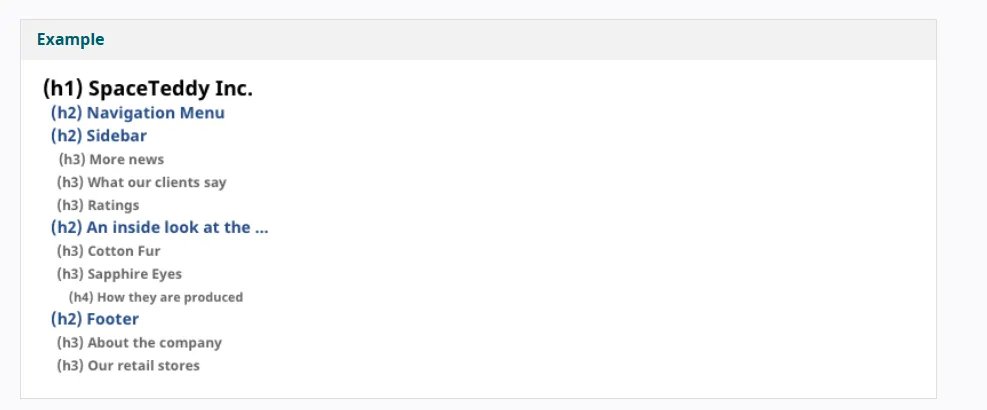
- Use headings in logical order (Heading 1 → Heading 2 → Heading 3)
- Use only one Heading 1 per page
- Never skip heading levels
Learn more
- Siteimprove Learning Hub: Headings (Formatting for Content Contributors)
- University of Minnesota ODA: Headings overview
Tip 2: Lists
Core skill: Use true lists—not manual formatting for accessibility.
Why it matters
Assistive technologies announce how many items are in a list and allow users to move between items efficiently. Manually typed dashes or numbers don’t provide this structure.
What to do (2-minute action)
- Use the built-in bulleted or numbered list tools
- Nest lists properly when needed
Where this matters most
Emails, reports, training materials, web content
Learn more
- University of Minnesota ODA: Lists